for individual power users
Praxis
A power framework for putting AI to work.
A local control room for running many projects with AI — a structured memory vault, an embedded terminal, a knowledge graph, and a proactive daily brief, all on your own machine. One person, many projects, one command surface.
What it is
Praxis pairs a memory with a machine that acts on it. Three ideas, working together:
Memory
Every project you run gets its own folder of plain Markdown notes — its goal, where things stand, decisions made and why, and how it's built. This is your second brain: durable, readable, and yours. Nothing lives in a database you can't open.
Control
A control-room app gives you one place to see everything: a terminal to talk to your AI agents, a graph of how your projects connect, stats on what's been done, and a daily brief that tells you what changed and what needs attention.
Execution
A roster of Claude Code agents — a designer, a verifier, a researcher, an archivist — read your project's memory and act on it: they build, check their own work against your stated goal, research what's missing, and keep the memory itself clean over time.
It's built for a solo developer or indie builder running several things at once who wants AI to actually remember context between sessions — not a team tool, not an enterprise deployment. One person, one machine.
Inside the control room
Eight tabs, one app, everything local.
Terminal
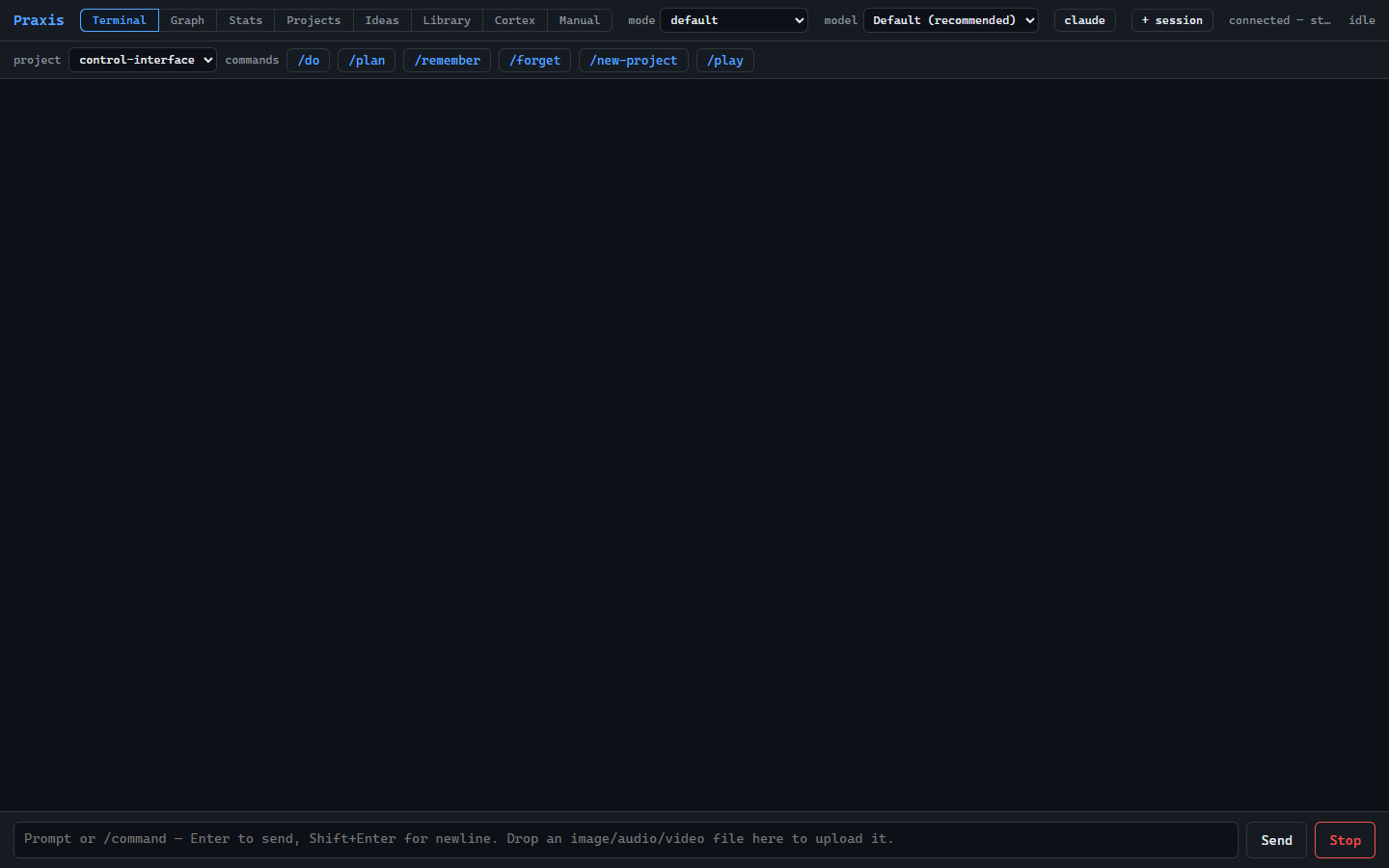
An embedded terminal running Claude Code sessions directly — start, switch, and drive your agents without leaving the app. Drop files or media straight onto it.
Graph
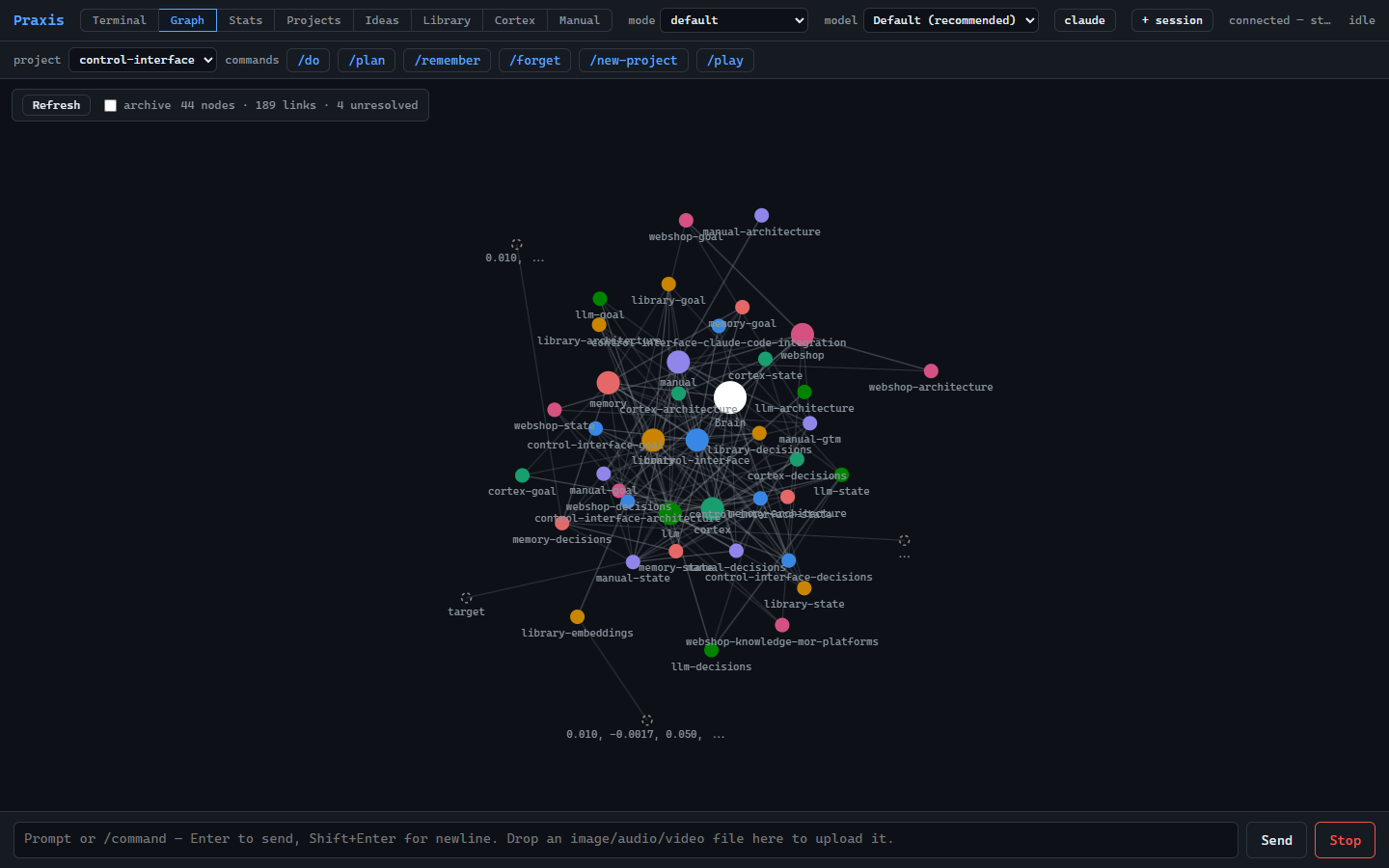
A visual knowledge graph of your projects and their notes, so you can see how everything connects instead of hunting through folders.
Stats
Visibility into activity and progress across every project you're running — what moved, what's stalled, what's next.
Projects
Each project keeps its own goal, state, decisions, and architecture as living Markdown notes that your agents read before they act.
Ideas
A place to capture and triage what's on your mind before it becomes a project — so nothing you think of gets lost.
Library
Retrieval over your own unstructured documents — PDFs, articles, transcripts — with cited answers. Runs on the optional local model.
Cortex
A proactive daily brief: a scheduled pass that reads every project's state and surfaces what needs your attention, before you ask.
Manual
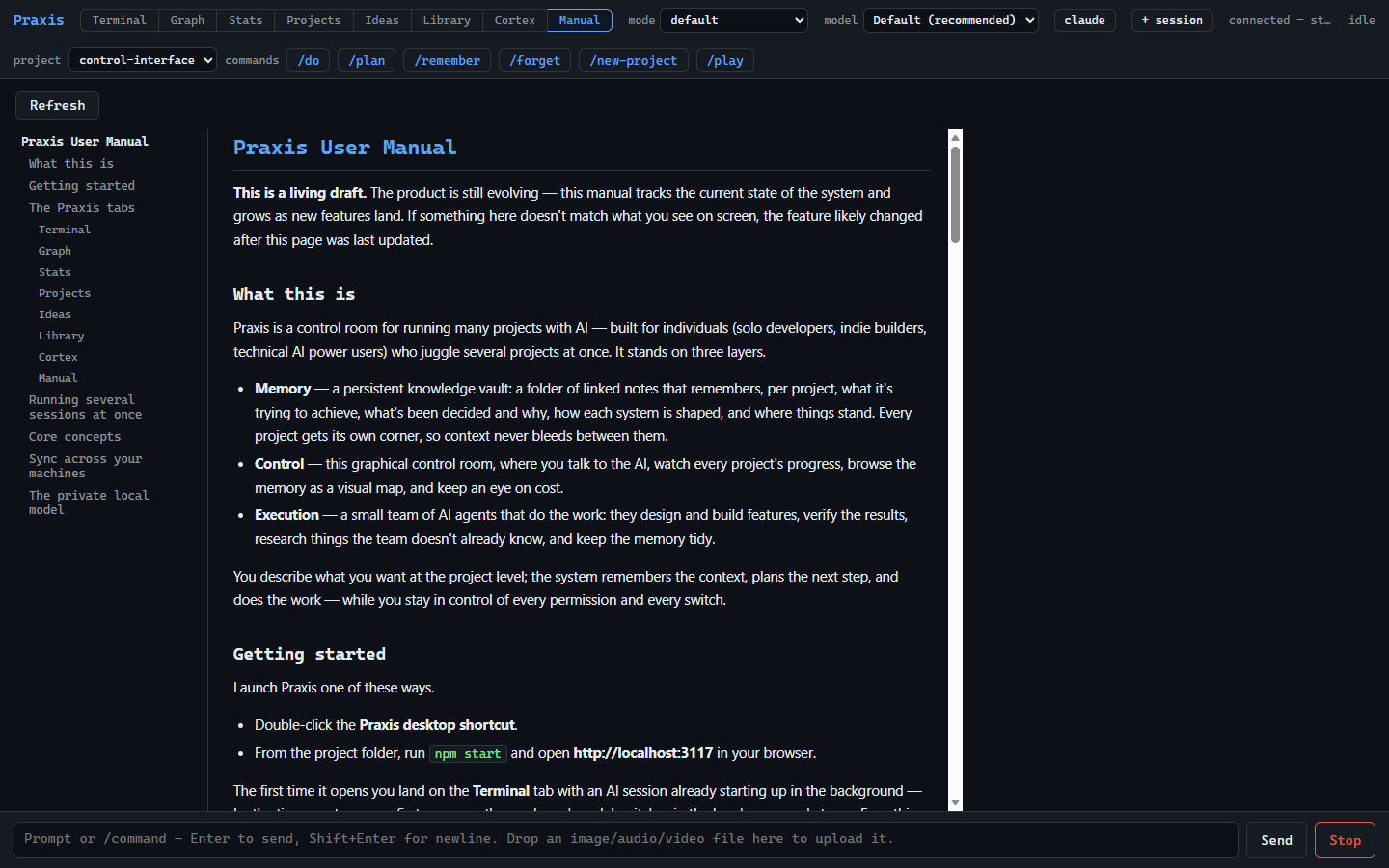
The full user guide, rendered right inside the app — always current with the version you're running.
See it running
A local control room — a persistent memory vault, an embedded terminal, a live knowledge graph, and a built-in manual, all in one window.
Read this before you buy
What you need to run Praxis
Praxis is a framework that drives AI on your own accounts — it does not include or resell any AI access. Make sure you have these first:
- Your own Claude Code + Anthropic account. Praxis drives Claude Code under the hood using your sign-in. That is where all AI usage is billed — your Anthropic subscription or API credits, separate from the €29 you pay for Praxis. If you don't already have a Claude Code / Anthropic account, get one first.
- Node.js 20 or newer. This runs the local control-room app. Free, from nodejs.org.
- Windows. Praxis is Windows-first today — the installer and double-click launcher are built and tested on Windows.
- Ollama — optional. Only needed for two features: the private local model and the Library tab. Everything else works without it.
If you don't have (or don't want) your own Claude Code / Anthropic account, Praxis will not be able to run its agents — please don't buy it expecting AI access to be included.
I have these — buy Praxis, €29Pricing
€29
one-time purchase — not a subscription
Launch early-bird: €19 for a limited time.
- Pay once — no recurring fee, ever.
- Includes the full control-room app, the memory vault, and the agent roster.
- Future releases included — your one purchase covers updates and new versions as they ship, at no extra cost.
- AI usage itself is billed separately, on your own Anthropic account.
Frequently asked questions
- What do I need to run it?
- Your own Claude Code + Anthropic account, Node.js 20+, and Windows. Ollama is optional. See Prerequisites above for the full detail.
- Is it a subscription?
- No. Praxis is a one-time purchase — pay once and it's yours to keep and run, future releases included.
- How are AI costs handled?
- Separately, on your own Anthropic account. Praxis drives Claude Code using your sign-in; it does not include, meter, or resell any AI usage. Your Anthropic subscription or API spend is between you and Anthropic.
- Do I get updates?
- Yes — and they're included. Your one-time €29 covers future releases at no extra cost: bug fixes and new versions ship to you as part of the same purchase.
- Refunds?
- If Praxis genuinely doesn't run on your machine after following the install steps, contact support through the checkout platform. Please read the prerequisites before buying — most refund requests come from missing an Anthropic account, which Praxis cannot provide for you.
- Is my data private?
- Yes. Praxis is local-first: your memory vault and projects live on your own machine, and nothing leaves it unless you send it — including to the AI models you choose to run through your own accounts.
- Which OS?
- Windows, today. The installer and launcher are built and tested on Windows only.